Chat Translation
Chat Translation
Elevate Webex meetings with 'Chat Translation'. This app provides seamless, real-time translation, allowing participants to communicate fluently regardless of language.
Elevate Webex meetings with 'Chat Translation'. This app provides seamless, real-time translation, allowing participants to communicate fluently regardless of language.
Break down language barriers with 'Chat Translation'—for free. This app provides seamless, real-time translation optimized for the Webex experience. No Chat Translation account needed. Hosts only need a Webex account (Free or Paid). For more details, please refer to the 'Guides by Feature' <br>
How to use:
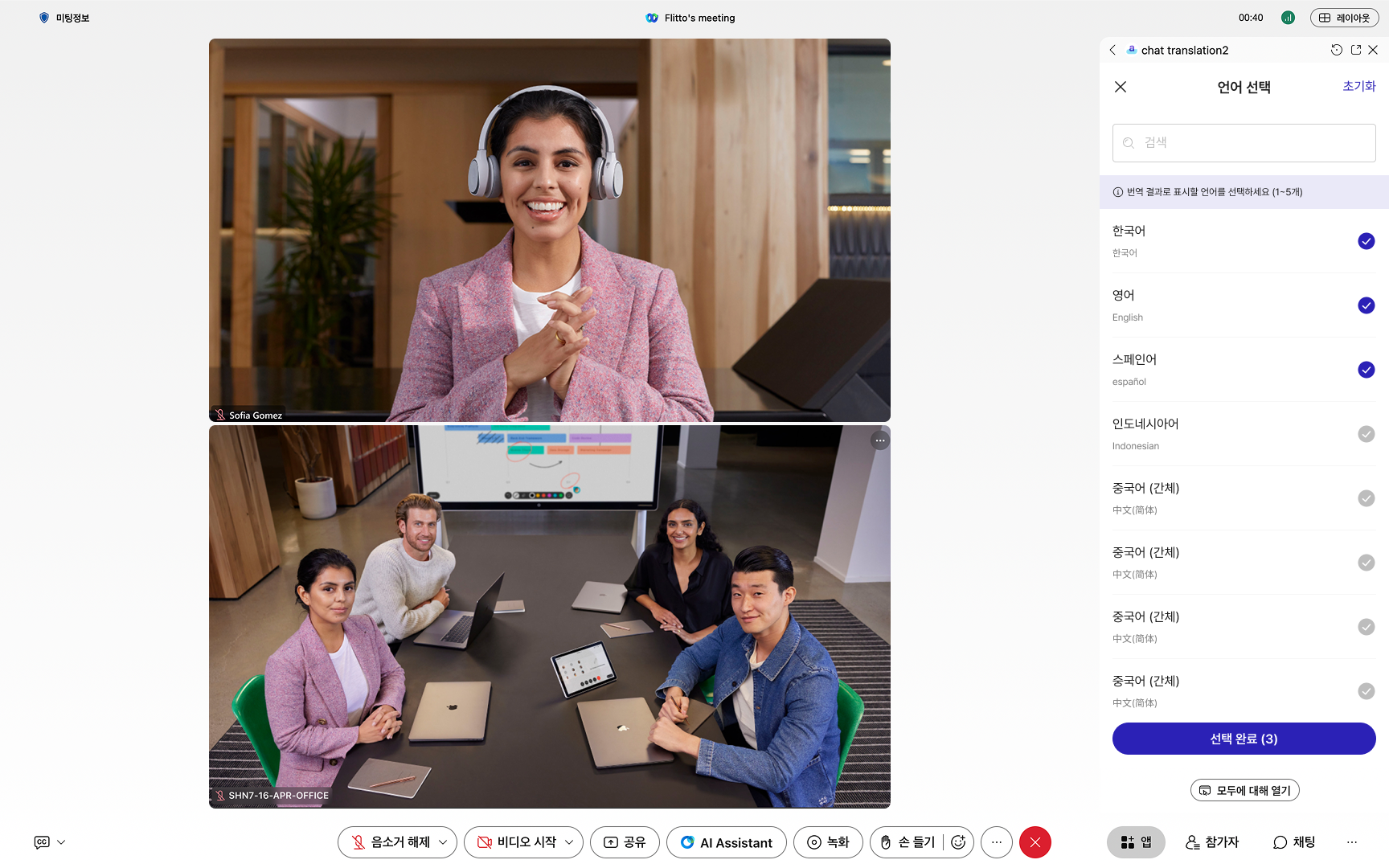
- Click the app icon below to open 'Chat Translation' in Webex. *The Host starts the session and selects 'Open to All' for participants. *Select your target languages and start the conversation. <br>
Features:
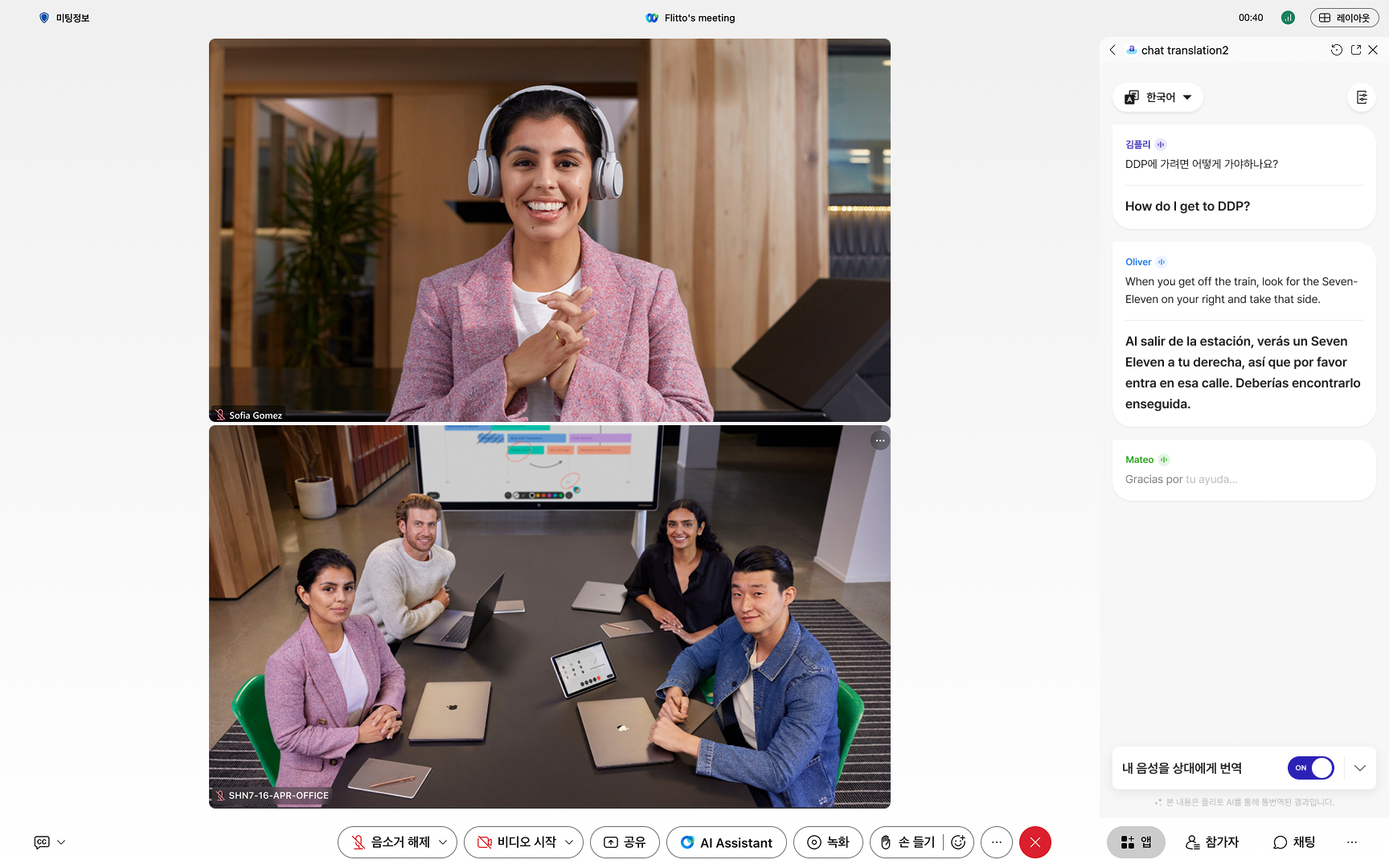
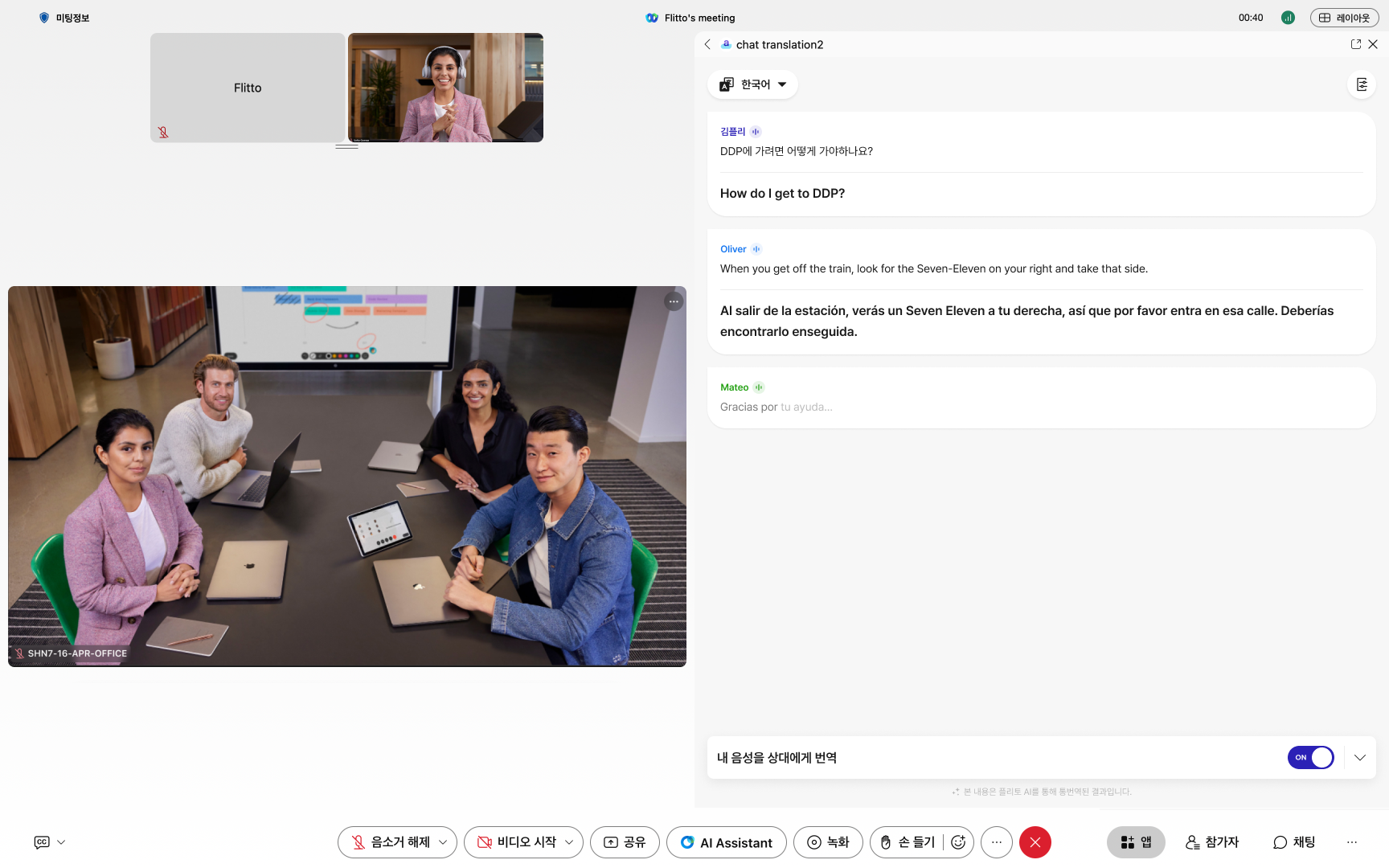
- Translate any spoken language into up to 5 selected target languages.
- Re-translate the entire chat history immediately when target languages are changed.
- Speaker separation with nickname display using local audio capture.
- Independent control over Webex microphone. <br>
Future Features:
- Right-alignment for user's own chat bubbles.
- View and download meeting summaries/transcript.
Support


Categories
Break down language barriers with 'Chat Translation'—for free. This app provides seamless, real-time translation optimized for the Webex experience. No Chat Translation account needed. Hosts only need a Webex account (Free or Paid). For more details, please refer to the 'Guides by Feature'
How to use:
- Click the app icon below to open 'Chat Translation' in Webex.
*The Host starts the session and selects 'Open to All' for participants.
*Select your target languages and start the conversation.
Features:
- Translate any spoken language into up to 5 selected target languages.
- Re-translate the entire chat history immediately when target languages are changed.
- Speaker separation with nickname display using local audio capture.
- Independent control over Webex microphone.
Future Features:
- Right-alignment for user's own chat bubbles.
- View and download meeting summaries/transcript.